HDMI ARC vs HDMI vs eARC: Which Port Sends TV Sound Out
- What is the difference between HDMI, HDMI ARC and eARC?
- HDMI vs HDMI ARC: is an ARC port just a normal HDMI port?
- ARC vs eARC at a glance
- How much better is eARC, in numbers?
- The format is the reason to choose eARC
- What happens when the TV cannot pass a format?
- Trace the source path before changing equipment
- HDMI pass-through vs ARC: which is which?
- Do an endpoint–source–format audit
- What makes a TV an eARC TV?
- Connect the labeled ports and preserve access
- Which HDMI cable do you need for ARC and eARC?
- Will an eARC TV work with an ARC soundbar?
- Troubleshoot silence in a fixed order
- When is eARC worth prioritizing over ARC?
- Sources
What is the difference between HDMI, HDMI ARC and eARC?
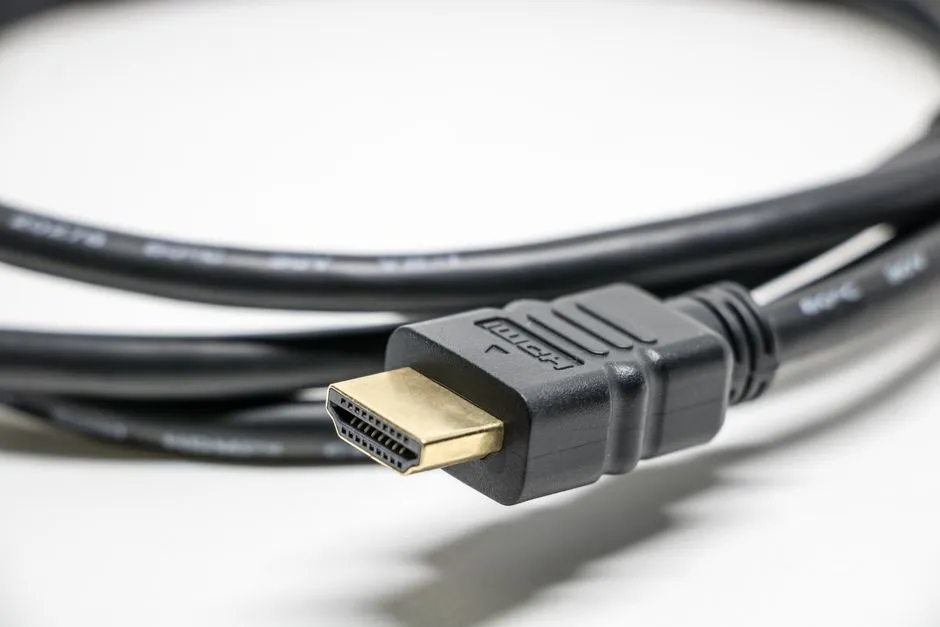
Every HDMI input carries picture and sound into a television. An HDMI ARC (Audio Return Channel) port does that too, and can also send the TV's sound back out to a soundbar or AV receiver over the same cable. eARC (Enhanced Audio Return Channel) is the upgraded return path: it adds high-bitrate and uncompressed multichannel formats, better device discovery and audio optimization. Choose eARC when your source and sound system need those formats; ARC is enough when everything you watch already reaches the speakers in a format both devices support.
The labels describe a return path, not sound quality by themselves. A soundtrack must survive four gates on its way to your ears: the source format, the TV's handling of that format, the return connection, and the soundbar or receiver's decoder. Most of the confusion in this corner of home theater comes from staring at the third gate while the problem sits at one of the other three.
HDMI vs HDMI ARC: is an ARC port just a normal HDMI port?
Mostly, yes. On a typical television, the ARC socket is one of the ordinary HDMI inputs, and it will happily accept a streaming stick or a console. What makes it special is the extra lane running the other way. The HDMI 1.4b overview describes ARC's job plainly: it lets an HDMI-connected TV send audio data "upstream" to an AVR or soundbar with an HDMI cable, eliminating the need for a separate audio cable.
That is the whole answer to the most common version of the question. A plain HDMI port brings sound into the TV and stops there. An ARC port brings sound in and can return the TV's sound to an audio system. Plug the soundbar into the wrong HDMI socket and you may get nothing at all, even though every cable looks identical. The port printed with ARC or eARC is the one that matters, on both ends.
Our HDMI-port guide maps the other jobs a TV's HDMI inputs do, from game features to external players, so the ARC socket does not end up occupied by a device that could live anywhere.
ARC vs eARC at a glance
| Question | ARC | eARC |
|---|---|---|
| What does it do? | Returns TV audio through HDMI | Returns TV audio through a broader-capability HDMI path |
| Where did it appear? | Listed by HDMI Licensing Administrator among the features of HDMI 1.4b | Introduced with HDMI 2.1 (HDMI's eARC page sits under its HDMI 2.1 feature pages) and still listed among the features of the current HDMI 2.2 specification |
| How much audio bandwidth? | TCL's support guide puts it at "about 1 Mbps," enough for stereo or 5.1 Dolby Digital or DTS | TCL's support guide gives "up to 37 Mbps" |
| What audio should you assume? | Only formats explicitly supported across the exact TV, audio device, source, and app | HDMI lists high-bitrate formats up to 192 kHz/24-bit, uncompressed 5.1 and 7.1, 32-channel uncompressed audio, DTS-HD Master Audio, DTS:X, Dolby TrueHD, and Dolby Atmos |
| Do both endpoints need it? | Both TV and audio device need a compatible ARC implementation | Both need eARC for eARC capability |
| Is eARC automatically ARC-compatible? | Not applicable | No. HDMI says eARC is not defined as backward-compatible with ARC, though manufacturers may implement both |
| Which cable? | A certified cable whose official name includes "with Ethernet" is the safe floor; Samsung names HEAC or HEC cables for its eARC setup | HDMI says Ultra High Speed and Ultra96 HDMI cables are designed for eARC; Ethernet-channel cable types may work but are not certified for eARC |
| Are control settings required? | Often; use the two manuals | Model-dependent; some TVs still require HDMI-CEC plus an eARC mode |
The current HDMI eARC page names the broader formats and says eARC "simplifies connectivity and provides greater ease of use for multiple components discovery and audio optimization." Those specification-level capabilities are ceilings, not promises about every port on every product.
How much better is eARC, in numbers?
The cleanest way to see the gap is bandwidth. TCL's ARC and eARC support article describes ARC as supporting "up to about 1 Mbps of bandwidth, which is enough for stereo audio or 5.1 surround sound from Dolby Digital or DTS," and eARC as offering "up to 37 Mbps." That is a manufacturer's summary rather than a specification table, but it explains the practical ceiling: ARC was sized for compressed surround, and eARC was sized for the lossless and uncompressed formats that arrived later.
HDMI's own eARC page goes further at specification level, listing audio up to 192 kHz, 24-bit, uncompressed 5.1 and 7.1, and 32-channel uncompressed audio, plus DTS-HD Master Audio, DTS:X, Dolby TrueHD and Dolby Atmos. Your TV may still decode, convert, or refuse a format before it reaches that path, so its audio-output table remains decisive.
TCL's article adds one more difference that people feel rather than measure: it says eARC "includes mandatory support for Lip Sync Correction," while lip sync correction on ARC is "not always effective." If dialogue that drifts away from mouths is your current complaint, that is a reasonable reason to put eARC on a shortlist, alongside the format question below.
The format is the reason to choose eARC
If a TV app, set-top box, disc player, or console outputs a format that ARC and both endpoints already support, changing the return path to eARC does not create a higher-resolution master. eARC matters when the TV must return something outside the shared ARC path, most clearly uncompressed 5.1/7.1 audio or high-bitrate formats such as Dolby TrueHD or DTS-HD Master Audio.
Dolby's home-theater white paper explains why "Dolby Atmos" alone does not settle the ARC-versus-eARC question. Atmos is carried inside other formats: Dolby TrueHD, which Dolby calls its "lossless audio codec employed on Blu-ray Disc"; Dolby Digital Plus, which it says "is used by leading streaming video providers"; and Dolby MAT (Metadata-enhanced Audio Transmission), which can carry Atmos as lossless PCM from sources such as game consoles, PCs and set-top boxes. The same paper notes that Atmos in TrueHD can be encoded at 48 and 96 kHz, while Atmos content in Dolby Digital Plus uses 48 kHz. (The paper dates from October 2016; the carrier names are what matter here.)
Sonos's Dolby Atmos support page puts the consequence in one line each: "Most Dolby Atmos audio can be played through HDMI-ARC using the Dolby Digital Plus codec," and "HDMI-eARC is required to play lossless Dolby Atmos audio using the Dolby TrueHD codec." Its compatibility table marks Dolby Digital Plus Atmos as supported over "HDMI ARC (version 2.01 or above)" but not over older ARC, which is a useful reminder that even ARC behavior differs between implementations.
So the practical split looks like this:
- Streaming apps usually send Dolby Digital Plus. If the soundbar already shows Atmos from them over ARC, eARC need not improve that program merely because the eARC logo is newer.
- Lossless disc soundtracks in Dolby TrueHD or DTS-HD Master Audio, played from a player connected to the TV, need eARC across the chain to come back out unchanged.
- Multichannel PCM (uncompressed surround, an output option on many consoles and computers) needs the uncompressed 5.1/7.1 path that HDMI lists for eARC.
What happens when the TV cannot pass a format?
It usually converts rather than refuses, and that is easy to miss. Sonos notes that when a source or TV does not pass Atmos through, "In most cases the TV will re-encode the audio to Dolby Digital 5.1." You still hear surround effects, so nothing seems broken, but the lossless track or the height channels never arrived.
Dolby's paper describes the same graceful fall from the other direction: Atmos tracks in TrueHD and Dolby Digital Plus are backward compatible, so a system without Atmos plays "traditional 5.1 or 7.1 audio." That is good engineering and it is also why ears are poor auditors. The audio device's status display or app is the better evidence, and Sonos says its app shows an Atmos signal on the "Now Playing" screen and in "About My System." Other brands use a front-panel readout or an info screen; the manual will say where.
Trace the source path before changing equipment
There are three common routes.
A built-in TV app
Audio from a built-in app or the television's antenna tuner begins inside the television and returns directly through ARC or eARC:
TV app → TV audio processing/output setting → ARC/eARC port → soundbar or receiver
This is the cleanest diagnostic source because it removes an external player's HDMI input from the chain.
A player connected to the TV
The television receives both picture and sound, then returns the sound:
Player or console → TV HDMI input → TV pass-through/processing → ARC/eARC → soundbar or receiver
This route can preserve a video feature that an older receiver cannot pass. It also makes the TV's supported-input and pass-through formats a possible bottleneck, with model-specific switching and lip-sync behavior. The word "eARC" on the output port does not guarantee that every other HDMI input can accept and forward every audio format.
A player connected to the receiver
The receiver handles audio first and sends video onward:
Player → receiver → TV
This can avoid the TV return path for that source. It works only if the receiver supports the required video resolution, refresh rate, HDR mode, and other signal features.
Write the actual route down. It is much easier to locate one failed handoff on paper than to reason from a cabinet full of identical black cables.
HDMI pass-through vs ARC: which is which?
The two terms get swapped constantly, so here is the distinction this guide uses. Pass-through means a device forwards a signal without being its final destination: a receiver passing video on to the TV, or a TV forwarding an external player's audio to its ARC/eARC output without decoding it. Many TVs offer a digital-audio output choice named Pass-Through or something close to it, usually alongside PCM and Auto; the manual gives the exact names. ARC/eARC is the specific return lane that carries the TV's sound back to the audio system.
They work together. In the second route above, the TV passes the player's audio through to the eARC port, and eARC carries it to the soundbar. If the TV's audio output is set to PCM instead, the TV decodes first and sends PCM, which may turn a Dolby TrueHD track into something else before it ever reaches the return path.
Do an endpoint–source–format audit
Before buying anything, fill in these four lines from official manuals or on-screen information:
| Gate | What to record |
|---|---|
| TV return port | Exact label: ARC, eARC/ARC, or neither |
| Audio-system TV port | Exact label and whether its manual enables ARC, eARC, or both |
| Source output | PCM, bitstream, auto, or a named codec; note the chosen setting |
| TV digital-audio output | PCM, auto, pass-through, or the model's equivalent |
Then run five controlled checks:
- Play a built-in TV app and confirm ordinary stereo sound.
- Play one external source through the TV and confirm ordinary stereo sound.
- Select a known multichannel program and read the format reported by the receiver or soundbar.
- Change only the TV digital-audio output between its documented PCM, auto, or pass-through choices; record the result.
- If eARC is the goal, use a known file or disc with a format that requires that broader path, such as Dolby TrueHD or DTS-HD Master Audio, and verify the format at the audio device.
This separates "the speakers work" from "the requested codec reached the decoder." Hearing surround effects is not proof that a particular lossless format survived unchanged.
What makes a TV an eARC TV?
An eARC TV has at least one HDMI input labeled eARC (often printed as eARC/ARC), and the feature arrived with HDMI 2.1-generation sets. Samsung's eARC setup page says the feature is implemented in "the latest HDMI 2.1 compatible TVs" and applies to its TVs and soundbars made in 2020 and newer. Check the port label and the manual rather than the box; a television can advertise HDMI 2.1 features without every port supporting all of them.
Two practical notes follow. First, eARC is generally hardware, not a download: the eARC section of HDMI's HDMI 2.2 FAQ answers "Is eARC available through a firmware upgrade?" with "Generally speaking, no," and advises checking with the manufacturer. Second, an eARC TV may ship with the feature switched off. Samsung's page says "By default, the HDMI eARC Mode is turned off" on its applicable sets.
Connect the labeled ports and preserve access
Connect the TV's HDMI IN (ARC or eARC/ARC) port to the audio device's HDMI OUT (ARC or eARC) or designated TV port. These are specialized ports; a different HDMI socket can pass ordinary video while providing no return audio. Use the room-measuring checklist to preserve cable bend space when the ports face a wall.
Turn equipment off and disconnect power where the product manuals require it before changing connections. Do not force a plug, sharply kink the cable, or leave cable weight hanging from the socket. If the television is wall-mounted and the port cannot be reached without moving the set, follow the mount instructions or have a qualified installer do it; our wall-mount planning guide covers why that work belongs with the manual.
After connection:
- Select the TV's external-audio or audio-system output.
- Select the audio device's TV input.
- Enable ARC/eARC or set it to Auto as the manuals direct.
- Enable the required HDMI control setting. Brand names vary: Samsung, for example, calls HDMI-CEC Anynet+ and instructs users of its applicable TVs to enable that before setting HDMI eARC Mode to Auto.
- Choose the documented digital-audio output mode.
- Test before reinstalling covers or pushing furniture back.
Which HDMI cable do you need for ARC and eARC?
For eARC, HDMI Licensing Administrator's FAQ says both Ultra High Speed HDMI and Ultra96 HDMI cables are designed to support eARC, and that eARC operation with the Standard HDMI Cable with Ethernet and the High Speed HDMI Cable with Ethernet "might be possible, but these cable types are not certified for eARC operation." The same FAQ identifies the Ultra High Speed cable as Category 3, for systems up to 48Gbps, and Ultra96 as Category 4, supporting up to 96Gbps.
For ARC, the useful clue is the word "Ethernet." HDMI's FAQ on cables with Cable Power lists the labels that, on such a cable, will support ARC and eARC: Ultra96, Ultra High Speed, Premium High Speed with Ethernet, High Speed with Ethernet, and Standard with Ethernet. Samsung's setup page likewise asks for "an eARC-compatible HDMI cable, such as an HEAC or HEC cable," abbreviations for the HDMI Ethernet and Audio Return Channel and the HDMI Ethernet Channel. Manufacturers can be stricter than HDMI: TCL's support article says eARC requires cables labeled "Ultra High Speed." When the two disagree, follow the stricter instruction for that brand.
That does not mean every eARC problem requires the newest maximum-bandwidth cable. The same cable may also carry video toward the TV, so choose an official cable category that covers the most demanding video signal on that link. HDMI's cable overview identifies official cable names and certification labels, and notes that the required Ultra96 and Ultra High Speed labels "can be scanned by standard QR code apps." "8K-ready," "cinema grade," and price alone are not cable categories.
If a previously working system becomes intermittent, reseat both ends before buying. Then test a short, known-working certified cable directly between the two labeled ports, with switches, adapters, wall plates, and extenders removed. That single substitution tells you more than replacing three devices at once.
Will an eARC TV work with an ARC soundbar?
Often, but not by definition. An eARC television connected to an ARC-only soundbar does not upgrade the soundbar. The HDMI 2.2 FAQ answers the question "Will the existing ARC-enabled products work with new products that use eARC?" with "Maybe," explaining that manufacturers can produce products compatible with both, but "eARC is not defined to be backwards compatible with ARC."
Some actual pairs do fall back. TCL's support article says its eARC devices "can still connect with ARC devices, but will only operate with ARC's limitations." Treat that as a documented behavior of one manufacturer's products, not a universal promise. Confirm both manuals and firmware notes before planning around a mixed ARC/eARC pair.
The same caution applies to HDMI-CEC (Consumer Electronics Control, the feature that lets one remote run several HDMI devices). One remote may control power and volume when device control is enabled, but that convenience function can also be the setting an ARC implementation expects. Menu names and dependencies vary. Follow the model instructions instead of copying an unrelated television's click path.
Troubleshoot silence in a fixed order
Change one layer at a time:
- Ports: confirm the cable joins the two sockets labeled ARC or eARC/ARC.
- Inputs and outputs: select the TV's audio-system output and the receiver or soundbar's TV input.
- Return-channel mode: enable ARC/eARC or Auto on both products if offered.
- HDMI control: enable the CEC setting required by the manuals.
- Basic format: test PCM stereo. If that works, the physical return path is active.
- Requested format: test Auto or Pass-through and watch the audio device's format display.
- Cable: reseat, then substitute a short known-working cable of the documented category.
- Topology: remove switches, adapters, extenders, and other HDMI devices temporarily.
- Reset sequence: follow both manufacturers' power-reset and reconnection order.
- Firmware: compare installed versions with official support pages for the exact models.
Samsung's Canadian eARC troubleshooting page follows the same broad progression for its own products: use an eARC-compatible cable between the ARC ports, "Disconnect all HDMI devices and turn on only the TV and soundbar," enable the eARC settings under Sound and Expert Settings, then update the TV software and the soundbar firmware. Do not randomize picture settings; they do not repair an audio return handshake. Our first-picture-settings guide can wait until the signal path is stable.
When is eARC worth prioritizing over ARC?
Prioritize eARC when all three statements are true:
- a source connected to or built into the TV outputs a high-bitrate or uncompressed multichannel format you intend to preserve;
- the TV can accept and pass that format through eARC; and
- the receiver or soundbar can decode it.
ARC is a reasonable endpoint when the current apps and sources already return their supported formats reliably, the audio system has no eARC input, or the external players connect directly to a receiver that handles their audio before video reaches the television.
The useful comparison is not ARC versus eARC as two badges. It is the format you have, the path it takes, and the decoder at the end. Verify those three, and the cable topology becomes a diagram instead of a ritual.
Sources
- HDMI Licensing Administrator: Enhanced Audio Return Channel
- HDMI Licensing Administrator: HDMI 2.2 overview, eARC and cable FAQ
- HDMI Licensing Administrator: HDMI 1.4b and ARC
- HDMI Licensing Administrator: official cable types
- TCL Support: Differences Between ARC and eARC HDMI Ports
- Sonos Support: Listen to Dolby Atmos on Sonos
- Samsung Support: enabling eARC on applicable TVs
- Samsung Support (Canada): no soundbar audio when using eARC
- Dolby: Dolby Atmos for the Home Theater